Theater Database
For our project, we made a database for this class! Take a look here: Theater Database
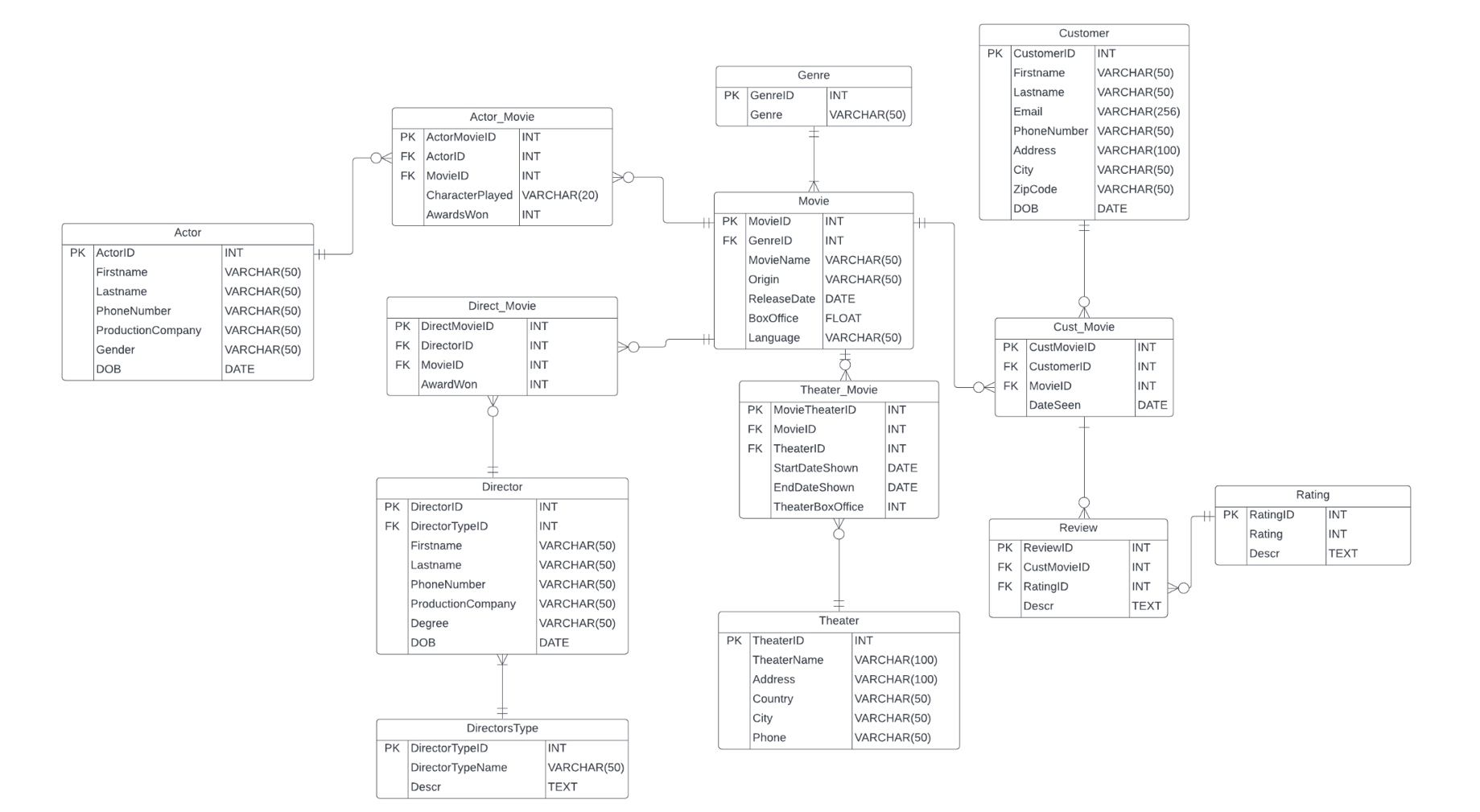
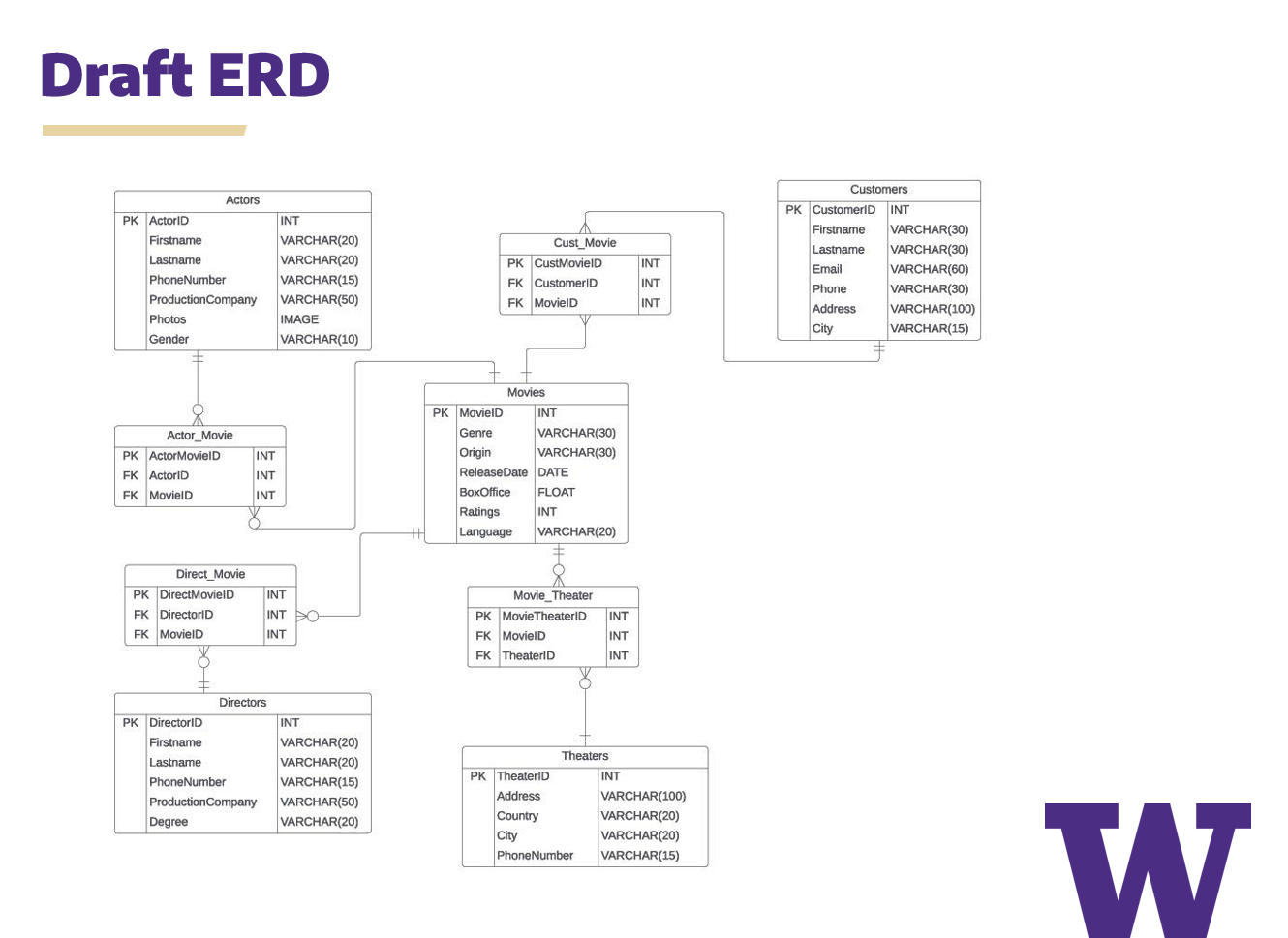
Our primary goal for this project was to create a database that provided relevant data about the movie industry. We had various users that were included in this database: directors, consumers, theater operators, movie studios, producers, investors, and critics. This project aims to answer various questions and information needs, such as the popularity of movies, earnings of movies, box office data, and insights into successful directors and writers. Some sample questions that we wanted to answer were "which genre had the most of movies?", "which movie was the most popular among all theaters?" and "which actors are associated with the movie with the highest box office?". After brainstorming questions for our database, we started with creating an Entity Relationship Diagram (ERD). This ERD consisted of all entities and attributes, and relationship cardinalities between those two aspects. We also looked at various primary and foreign keys for each table, while also exploring the need for transactional tables within our database.
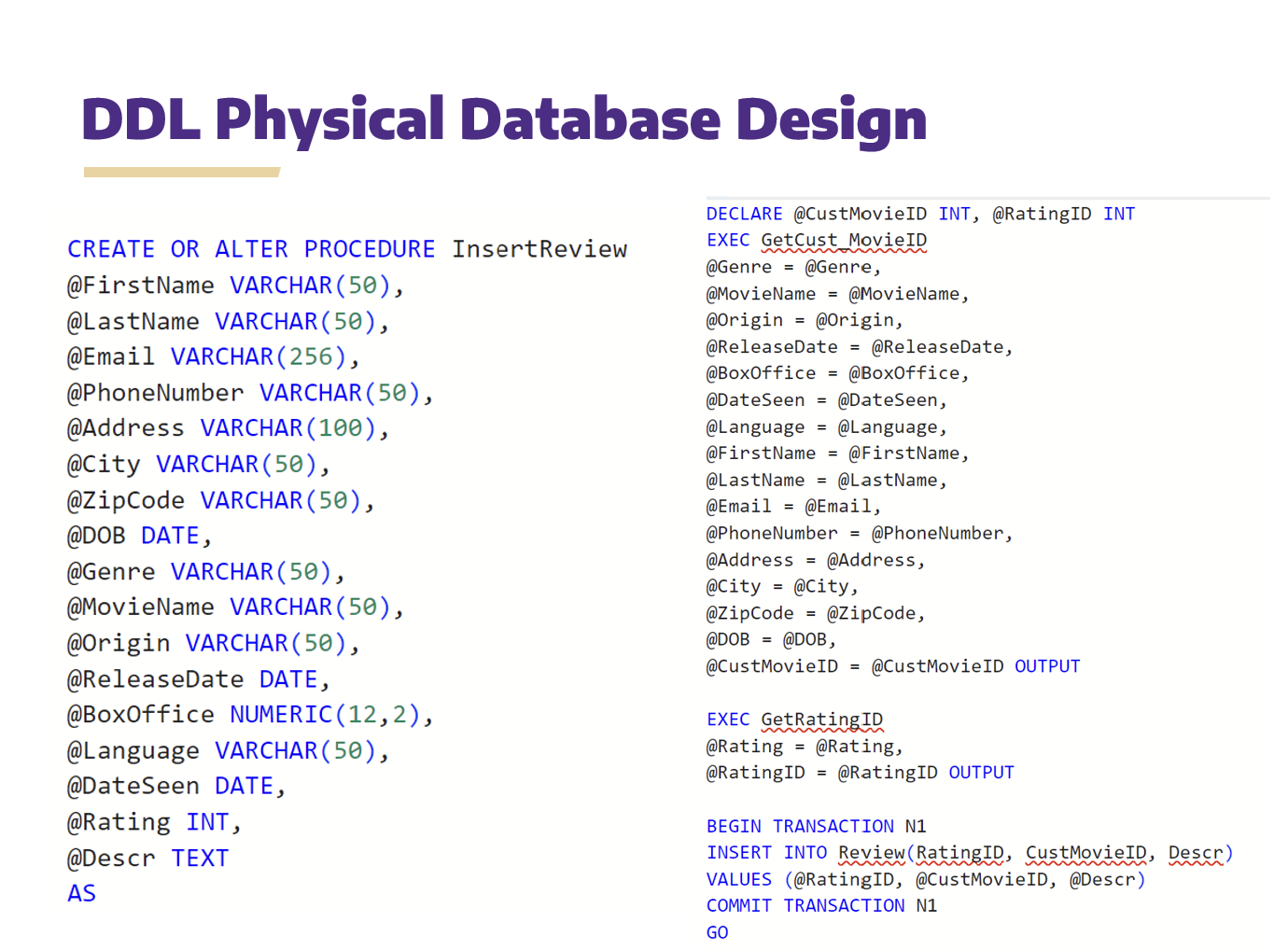
After creating our ERD, we started coding out the physical database on Microsoft SQL Server, and inserting the different attributes in each table required. After our database was finished, we decided to create stored procedures that assisted in retrieving certain information from the table or inserting information into the tables as well. This way, we would avoid duplicating the same SQL code in various parts of our application. This also made it so we reduced the risk of having errors when we were inserting values into our table.
After creating our stored procedures, we decided to create SQL queries to help with answering the questions that we had about our database. SQL queries allows us to retrieve data from a database, manipulate it through filtering, aggregating, or joining, and analyzing the data from those results. We also created views that allow clients to see a filtered view of our data to users without revealing the mechanics of our actual database structure. Please look at our database that we made: Theater Database
INFO 330: Databases & Data Modeling
INFO 330 delved into databases, learned about SQL and making stored procedures, and more. Learning about the uses of a database and how they all intertwine was super interesting. In this class, lab assignments were given as a way for students to learn the material, while topping it off with a group project to assess how much we can apply our learning to the real world. We used Azure Data Studio (Microsoft SQL Server) as our main data management tool for learning SQL.
Lab Assignment 1
In the first couple weeks of class, we learned basic SQL and how to define a relational model. One of the more important concepts that we learned was the difference between a foreign and primary key, and how they connect tables. It's also really important to define which keys should be a primary key or foreign key, and which keys shouldn't. This lab assignment tested us on whether we were able to use common SQL clauses (e.g., SELECT, FROM, WHERE, ORDER BY, DISTINCT), and the difference between inner and outer joins.
Lab Assignment 2
This assignment introduces concepts such as good database design, relationship and cardinality, and how to manually create tables for our databases. When looking at the different relationships between tables, we were considering whether tables either had a one-to-one relationship, one-to-many/many-to-one, or a many-to-many relationship. We also learned about more ways to manipulate data within our tables by looking at the INSERT, UPDATE, and DELETE clause.
Lab Assignment 3
In this assignment we practiced simple aggregation about grouping data together, and using different clauses in order to get the results that we want. We also looked at how combining group by and join can be super useful when trying to analyze some of the information that we have about certain data tables. In addition, we were introduced to nested queries and CTEs in order to gather detailed information about data.
Lab Assignment 4
This assignment introduced students to stored procedures and creating views for clients. These views are like a snapshot about data without the clients having to do too much coding. Stored Procedures were super tricky at first, but I thought about them as being somewhat similar to a function. You would have information that we are given as parameters and use those parameters to help clients insert new values into data tables. However, it's important to note that functions and stored procedures are still very different and not exactly the same. Functions help us to perform specific tasks, specific calculations or enforce rules.
Reflection
Learning about how we can extract information from databases was pretty interesting. While there were a lot of positives with this class, I felt that there were downsides at times. I wish the class was a little faster with our content. Learning about stored procedures at the end of the quarter and needing to put it in our project was a bit stressful for my team. However, the content was fun to learn about and we learned a lot about how things work in the backend.